Acer Chromebook Plus 514: Complete Review, Specs, Features, Performance & Buying Guide
The Acer Chromebook Plus 514 is designed for people who want a straightforward laptop for everyday computing without paying for the hardware and complexity of a traditional Windows machine. It sits in Acer’s Chromebook Plus lineup, which focuses on providing stronger processors, more memory, faster storage, and better everyday usability than basic entry-level Chromebooks.
What makes the Chromebook Plus 514 interesting is that it is available in multiple configurations. Depending on the exact model, buyers can find Intel or AMD processors, different storage capacities, touchscreen and non-touchscreen displays, and other specification differences. That means checking the exact model number before buying is important rather than assuming every Acer Chromebook Plus 514 has identical hardware.
For students, remote workers, casual users, and anyone who mainly works through a browser, Google Docs, email, streaming services, and cloud applications, the Acer Chromebook Plus 514 can make a lot of sense. It is not designed to replace a high-end workstation, but that is not really the point. Its appeal comes from keeping everyday computing simple, responsive, and relatively affordable.
Acer Chromebook Plus 514 Overview
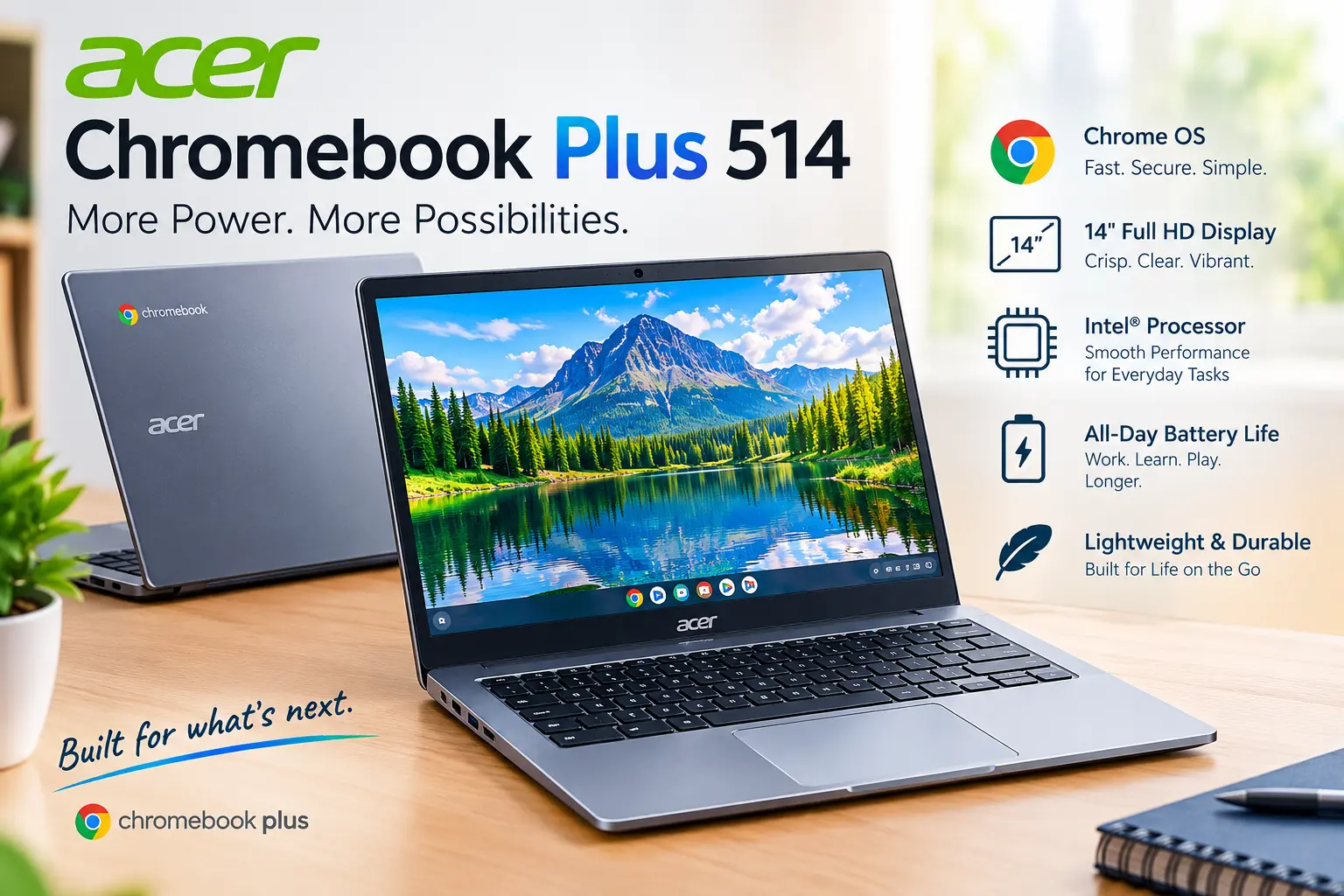
The Acer Chromebook Plus 514 is a 14-inch ChromeOS laptop that focuses on everyday productivity. Depending on the configuration, the machine can come with processors such as the Intel Core i3-N305, AMD Ryzen 3 7320C, or newer Intel Core-series chips. Official Acer specifications also show configurations with 8GB of memory and SSD storage ranging from 128GB to 512GB.
The 14-inch screen is one of the practical advantages of the laptop. It is large enough for documents, browser tabs, spreadsheets, online classes, and video calls while remaining considerably easier to carry than a typical 15.6-inch laptop. Some configurations use Full HD 1920 × 1080 resolution, while other versions use 1920 × 1200 WUXGA resolution. Touchscreen availability also depends on the specific model.
The Chromebook Plus branding is important because it separates this machine from many inexpensive Chromebooks with very basic hardware. Chromebook Plus systems are intended to provide a higher baseline of performance and usability. The Acer Chromebook Plus 514 therefore sits in a part of the Chromebook market aimed at users who want more than an entry-level browsing machine without moving into expensive premium laptops.
Acer Chromebook Plus 514 Design and Build Quality
The design of the Acer Chromebook Plus 514 is fairly simple. Acer has focused more on practicality than creating an ultra-premium-looking laptop. That approach makes sense for a computer aimed at students and everyday users because the device does not need an elaborate design to handle common computing tasks.
The laptop is relatively portable for a 14-inch computer. One Intel CB514-4H configuration measures approximately 326.9 × 224.9 × 20.5 mm and weighs around 1.43 kg. Other variants can have slightly different dimensions and weights, so the exact model number should always be checked before purchasing.
Build quality is best described as functional rather than luxurious. Reviews of the Intel version have noted that the exterior does not look particularly premium, but the keyboard and trackpad are comfortable for everyday work. WIRED also highlighted the keyboard, trackpad, webcam, and general everyday performance while criticizing the lack of a backlit keyboard on its tested model.
Display Quality and Screen Experience
The Acer Chromebook Plus 514 generally uses a 14-inch IPS-based display. Resolution varies by configuration, with official Acer specifications listing both 1920 × 1080 and 1920 × 1200 versions. Some configurations also include touchscreen support, while others are non-touch models.
For everyday work, a Full HD-class display is perfectly practical. Text is sharp enough for writing and browsing, while the 14-inch size gives users enough workspace for documents and multiple browser tabs. The IPS technology also provides reasonable viewing angles, which is useful when sharing the screen or watching videos.
The display is not necessarily the strongest part of the laptop for professional creative work. Reviews have pointed out limitations in brightness, color, and contrast on certain configurations. PCWorld’s 2026 review specifically described the IPS LCD as lacking in color and contrast, while still considering the overall display usable for the machine’s intended price range.
Performance and Processor Options
Performance is where the Chromebook Plus 514 becomes more interesting than many cheap Chromebooks. The Intel CB514-4H configuration, for example, uses an Intel Core i3-N305 processor with eight CPU cores, paired with 8GB of LPDDR5 memory. Acer lists Intel UHD Graphics with that configuration.
There are also AMD-based versions. Acer’s CB514-3H specification lists an AMD Ryzen 3 7320C processor, Radeon graphics, 8GB of LPDDR5X memory, and configurations that can support up to 16GB of memory. These versions can also include a 1920 × 1200 display and touchscreen functionality depending on the exact model.
In everyday use, the laptop is well suited to browser-based multitasking. Opening multiple tabs, writing documents, watching YouTube, attending online meetings, checking email, and working with cloud applications are the kinds of workloads where a Chromebook Plus 514 makes sense. Independent testing has similarly found the machine suitable for school and general productivity, with reviewers highlighting its responsive performance for normal tasks.
Storage and RAM
Storage is another area where the Acer Chromebook Plus 514 can vary significantly. Some configurations have 128GB of storage, while other versions offer 256GB or 512GB PCIe NVMe SSD storage. Acer’s Intel CB514-4H specifications, for example, include an option with a 512GB PCIe NVMe SSD.
For people who mainly use Google Drive and other cloud services, 128GB may be enough. However, 256GB or 512GB provides much more flexibility for downloaded files, offline documents, photos, applications, and media. The larger SSD configurations can therefore be particularly attractive if the price difference is reasonable.
RAM is commonly 8GB in the configurations listed by Acer. Some AMD variants are specified with support for up to 16GB. Since ChromeOS is designed around web applications and efficient multitasking, 8GB can be perfectly usable for everyday work, although heavier multitasking benefits from more memory where a higher-memory configuration is available.
Keyboard and Trackpad
A laptop can have excellent specifications on paper and still be frustrating if the keyboard and trackpad are poor. Fortunately, the Acer Chromebook Plus 514 receives generally positive comments in this area. Reviews have described the keyboard as comfortable for typing, making the machine suitable for students, writers, office users, and people who spend a large portion of their day working in a browser.
One thing to check before buying is keyboard backlighting. It is not included on every Chromebook Plus 514 configuration. Acer’s specifications for the Intel CB514-4H, for example, list a standard keyboard without backlighting, while the AMD CB514-3H-R8C2 configuration includes a white backlit keyboard.
The trackpad uses Acer’s OceanGlass design on several configurations. It provides a modern, smooth pointing experience and works well with ChromeOS gestures. For everyday navigation, document editing, browsing, and general laptop use, the input system is one of the more practical aspects of the machine.
Webcam, Microphone, and Video Calls
Video calling has become a normal part of school and work, so webcam quality matters more than it once did. The Acer Chromebook Plus 514 offers a 1080p webcam on several configurations, which is a useful step above the low-resolution cameras found on some inexpensive laptops.
Acer’s Intel CB514-4H specification lists a 1920 × 1080 webcam, microphone, and camera privacy shutter. The privacy shutter is a small but useful feature for people who want a physical way to block the camera when it is not being used.
Independent reviews have also highlighted the webcam and microphone performance as strengths of the laptop. This makes the Chromebook Plus 514 suitable for Google Meet, Zoom-style meetings, online classes, interviews, and casual video calls, although professional content creators will naturally want dedicated camera equipment.
Battery Life
Battery life depends on the exact hardware configuration and how the laptop is used. Acer’s official specifications list up to around 11 hours for some Intel CB514-4H models, while other variants have different official maximum figures.
Real-world battery life is naturally lower or higher depending on brightness, browser tabs, video playback, Wi-Fi activity, background applications, and other factors. Testing from RTINGS found the 2023 AMD version capable of lasting a little over 10 hours during light use, while other reviews have reported roughly 8 to 10 hours under typical workloads.
This means the Acer Chromebook Plus 514 is better viewed as an all-day productivity machine under sensible usage rather than a laptop that will always deliver its advertised maximum. Students and office users who primarily browse, write, and work with cloud applications can generally expect useful battery endurance.
Ports and Connectivity
Connectivity is another practical advantage of the Acer Chromebook Plus 514. The Intel CB514-4H configuration includes two USB Type-A ports and two USB Type-C ports, giving users several options for accessories and peripherals. It also supports Wi-Fi 6E on the listed configuration.
Some configurations also include a microSD card reader and a 3.5mm audio jack. This can be useful for photographers, students moving files from memory cards, or users who still prefer wired headphones.
Port selection varies by model, so shoppers should look at the exact Acer part number before buying. This is especially important if HDMI, a microSD slot, touchscreen functionality, or a specific storage capacity is important to you.
ChromeOS and Everyday Software
The Acer Chromebook Plus 514 runs ChromeOS rather than Windows. That makes the user experience different from a traditional PC. Instead of relying primarily on Windows desktop programs, users generally work through Chrome browser applications, Google services, Android applications where supported, and other compatible software.
For people already using Gmail, Google Drive, Google Docs, Google Sheets, YouTube, Google Meet, and similar services, ChromeOS can feel extremely straightforward. The operating system also handles updates and security differently from traditional Windows computers, reducing some of the maintenance associated with a conventional laptop.
However, buyers should think about software compatibility before purchasing. If your daily work requires a particular Windows-only application, professional desktop software, or specialized engineering or production tools, a Chromebook may not be the right platform. The Chromebook Plus 514 is strongest when the user’s workflow is primarily web-based.
Acer Chromebook Plus 514 for Students
For students, the Acer Chromebook Plus 514 has a sensible combination of portability, keyboard comfort, battery life, webcam quality, and everyday performance. A 14-inch display provides enough room for research, assignments, presentations, and online learning without making the laptop unnecessarily large.
The machine is also well suited to Google Workspace. Students who spend most of their time in Google Docs, Slides, Sheets, Classroom, web research, and video meetings are working within the environment ChromeOS was designed to handle.
The main consideration is software compatibility. Students studying subjects that require specialized Windows or macOS software should check application requirements before buying. For general academic work, however, the Chromebook Plus platform is specifically positioned above basic Chromebook hardware, making the 514 a practical productivity option.
Acer Chromebook Plus 514 for Work
Remote workers can also get good mileage from the Acer Chromebook Plus 514. Email, web applications, document editing, cloud storage, video meetings, project management dashboards, and browser-based business software are all natural workloads for ChromeOS.
The 1080p webcam and multiple USB ports are particularly useful for home-office setups. Users can connect accessories such as external storage, mice, keyboards, and other peripherals depending on their specific configuration.
The biggest limitation is once again software. If a job requires a Windows-only application, compatibility should be investigated before purchasing. For browser-based jobs, content management, customer support, online administration, writing, research, and similar work, the Chromebook Plus 514 can provide a relatively simple working environment.
Acer Chromebook Plus 514: Pros and Cons
Pros
The biggest advantage is the balance between performance and price. The Intel Core i3-N305 version, for example, provides eight CPU cores and can be paired with a large 512GB SSD. That is considerably more capable than the hardware found in many basic Chromebooks.
The laptop also has a useful 14-inch form factor, comfortable input devices, a 1080p webcam on several configurations, modern wireless connectivity, and multiple USB ports. These features make it practical for both school and general office use.
Cons
The display is not aimed at professional color work. Reviews have identified limited color and contrast on some versions, so photographers, designers, and video professionals may want a better panel.
The design is also relatively basic, and some configurations lack a backlit keyboard. Storage, touchscreen support, resolution, and battery specifications vary between versions, so buyers need to check the exact model instead of relying solely on the general product name.
Google E-E-A-T
| E-E-A-T Factor | Information |
|---|---|
| Experience | The Acer Chromebook Plus 514 is designed around everyday browsing, productivity, online learning, video calls, and cloud-based work. Independent reviews have evaluated its keyboard, trackpad, webcam, display, performance, and battery behavior. |
| Expertise | Official Acer specifications should be used when confirming processor, RAM, storage, display, connectivity, and physical dimensions because the Chromebook Plus 514 is sold in multiple configurations. |
| Authoritativeness | Acer’s official product documentation is the primary source for model-specific specifications, while established technology publications provide independent testing and hands-on observations. |
| Trustworthiness | Specifications can differ by model number and region. Buyers should verify the exact CB514 configuration before purchasing rather than assuming every Chromebook Plus 514 has identical hardware. |
Acer Chromebook Plus 514 Data
| Feature | Acer Chromebook Plus 514 |
|---|---|
| Product Type | Chromebook / Laptop |
| Operating System | ChromeOS |
| Screen Size | 14 inches |
| Display Resolution | 1920 × 1080 or 1920 × 1200 depending on model |
| Display Type | IPS LCD on listed configurations |
| Processor Options | Intel Core i3-N305, AMD Ryzen 3 7320C, newer Intel Core-series options depending on model |
| RAM | Commonly 8GB; some AMD versions support up to 16GB |
| Storage | 128GB, 256GB, or 512GB depending on configuration |
| Graphics | Intel UHD or AMD Radeon Graphics depending on processor |
| Webcam | Up to 1080p on listed configurations |
| Wireless | Wi-Fi 6E on several configurations |
| USB Ports | Up to 2 USB-A and 2 USB-C on listed Intel configurations |
| Touchscreen | Available on selected models |
| Keyboard Backlight | Configuration-dependent |
| microSD | Available on selected configurations |
| Weight | Around 1.4–1.43 kg on several 14-inch configurations |
| Battery | Up to around 11 hours on some Intel configurations; actual results vary |
| Best For | Students, office work, browsing, cloud applications, remote work, streaming |
Is the Acer Chromebook Plus 514 Worth Considering?
The Acer Chromebook Plus 514 makes the most sense for someone who understands what ChromeOS is designed to do. It is not trying to be a gaming laptop or a professional workstation. Instead, it focuses on making everyday computing fast enough, portable enough, and uncomplicated enough for a wide range of users.
Its strongest combination is the practical hardware. Depending on the configuration, buyers can get a capable Intel or AMD processor, 8GB of memory, fast SSD storage, a 14-inch IPS display, a 1080p webcam, modern Wi-Fi, and a useful collection of ports. Official Acer specifications confirm that the exact combination varies considerably between model numbers.
The main thing to remember is that Acer Chromebook Plus 514 is a product family rather than one completely identical configuration. Before purchasing, check the processor, RAM, storage, screen resolution, touchscreen support, keyboard backlight, battery specification, and port selection for the exact model being offered.
Final Thoughts
The Acer Chromebook Plus 514 is a practical ChromeOS laptop aimed at users who want more capability than a basic Chromebook without moving into the price and complexity of a premium laptop. Its combination of modern processors, SSD storage, 14-inch displays, useful connectivity, and comfortable everyday input devices makes it suitable for browsing, studying, office work, streaming, and cloud-based productivity.
Its limitations are just as important to understand. Display quality varies and is not targeted at professional color-sensitive work, some models lack keyboard backlighting, and ChromeOS may not support every desktop application a Windows or macOS user expects.
Overall, the Chromebook Plus 514 is best understood as an everyday productivity laptop. If your work and study routine revolves around the web, Google services, online meetings, documents, and cloud applications, its hardware and ChromeOS experience can fit that workflow very naturally. Just make sure you check the exact Acer model number and configuration before making a purchase, because specifications differ across versions.